
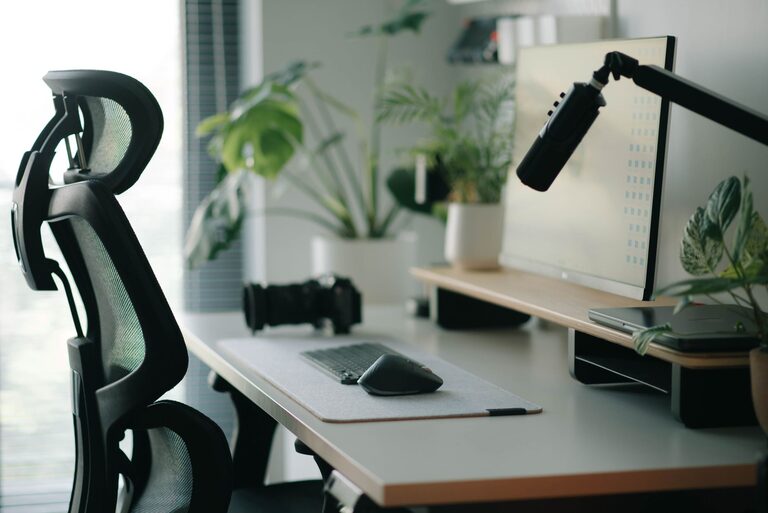
Creating a desk setup that promotes both focus and comfort can transform your workday. Whether you work from home, in an office, or study, a well-designed workspace helps reduce distractions, minimize physical strain, and boost productivity. In this post, we’ll explore practical tips to optimize your desk setup so you can stay comfortable and focused throughout the day.
Why Your Desk Setup Matters
Your workspace environment has a direct impact on your efficiency and well-being. Poor ergonomics can lead to discomfort, fatigue, and even chronic pain. Meanwhile, a cluttered or poorly arranged desk can distract you from your tasks and sap your motivation. By thoughtfully arranging your desk, you set the stage for better concentration and sustained energy.
Key Principles for an Effective Desk Setup
Before diving into specific tips, keep these guiding principles in mind:
– Ergonomics: Position your body and tools to avoid strain.
– Organization: Keep your desk tidy and essentials within reach.
– Lighting: Ensure ample and comfortable lighting to reduce eye strain.
– Personalization: Add touches that make your space inviting without cluttering it.
Desk Setup Tips for Comfort
1. Choose the Right Chair
The foundation of comfort is a supportive chair. Look for one that:
– Supports the natural curve of your spine.
– Has adjustable height so your feet rest flat on the floor.
– Offers adjustable armrests to reduce shoulder tension.
– Provides enough padding for long sitting hours.
Proper chair support helps prevent back and neck pain, keeping you comfortable over time.
2. Adjust Desk Height
Your desk height should allow you to keep your arms at a 90-degree angle while typing. If your desk is too high or too low, it can cause strain in your shoulders and wrists. Adjustable desks or desk converters can be a great investment to customize height based on your needs.
3. Position Your Monitor Correctly
Place your monitor about an arm’s length away from you. The top of the screen should be at or just below eye level. This helps maintain good posture and reduces neck strain. If you use multiple monitors, position your main monitor directly in front of you.
4. Use a Keyboard and Mouse That Fit You
Choose a keyboard and mouse that feel comfortable and fit the size of your hands. Consider ergonomic options designed to reduce wrist strain. Use a mousepad with wrist support if needed.
5. Take Care of Your Feet
If your feet don’t rest comfortably on the floor, use a footrest. It encourages good posture by supporting your legs properly.
Desk Setup Tips for Focus
1. Declutter Your Space
A clean and organized desk can help clear your mind. Regularly remove unnecessary items and only keep what you need for your current task. Use drawer organizers or small containers to keep stationery items sorted.
2. Organize Your Essentials Within Reach
Keep frequently used items close by to avoid distractions caused by searching for things. Place your phone, notebook, pens, or water bottle within arm’s reach.
3. Use Cable Management Solutions
Tidy up cords and cables to keep your desk neat and prevent tangling. Cable clips, sleeves, or under-desk trays can help maintain a clean appearance and eliminate physical distractions.
4. Incorporate Task Lighting
Good lighting helps maintain alertness and reduces eye strain. Use a desk lamp with adjustable brightness and color temperature to customize your lighting based on the time of day and task.
5. Add Greenery
A small plant can refresh your workspace and improve mood. Choose low-maintenance plants that thrive indoors like succulents or spider plants.
6. Minimize Noise Distractions
If possible, position your desk away from noisy areas. Noise-cancelling headphones or a white noise machine can help maintain concentration in busy environments.
Additional Tips for Long-Term Comfort and Focus
– Take Regular Breaks: Stand up, stretch, or walk around every hour to reduce stiffness and refresh your mind.
– Stay Hydrated: Keep a water bottle nearby and drink regularly to stay energized and focused.
– Personalize Thoughtfully: Add a few personal touches such as photos or inspirational quotes, but avoid cluttering your space.
– Maintain Good Posture: Align your ears, shoulders, and hips to avoid slouching.
– Use Standing Desk Alternatives: Consider alternating between sitting and standing if your workspace allows.
Quick Desk Setup Checklist
– Ergonomic chair with adjustable features
– Desk height that supports relaxed arm positioning
– Monitor at eye level, about an arm’s length away
– Comfortable keyboard and mouse within easy reach
– Organized and decluttered desk surface
– Task lighting tailored to your needs
– Cable management in place
– Personal touches that motivate but don’t distract
– Plants or greenery for a fresh atmosphere
– Noise control measures if necessary
—
By applying these desk setup tips, you’ll create a comfortable and focused workspace designed for productivity and well-being. Small changes to your environment can make a big difference in how you work and feel throughout the day. Take time to adjust your setup to fit your unique needs and enjoy the benefits of an optimized desk space!